
Sync schedulesfrom to
to
Using calendars in schools is hard. They're incomplete and unreliable, missing data that lives in other systems. And when calendars aren't usable, everyone feels it.
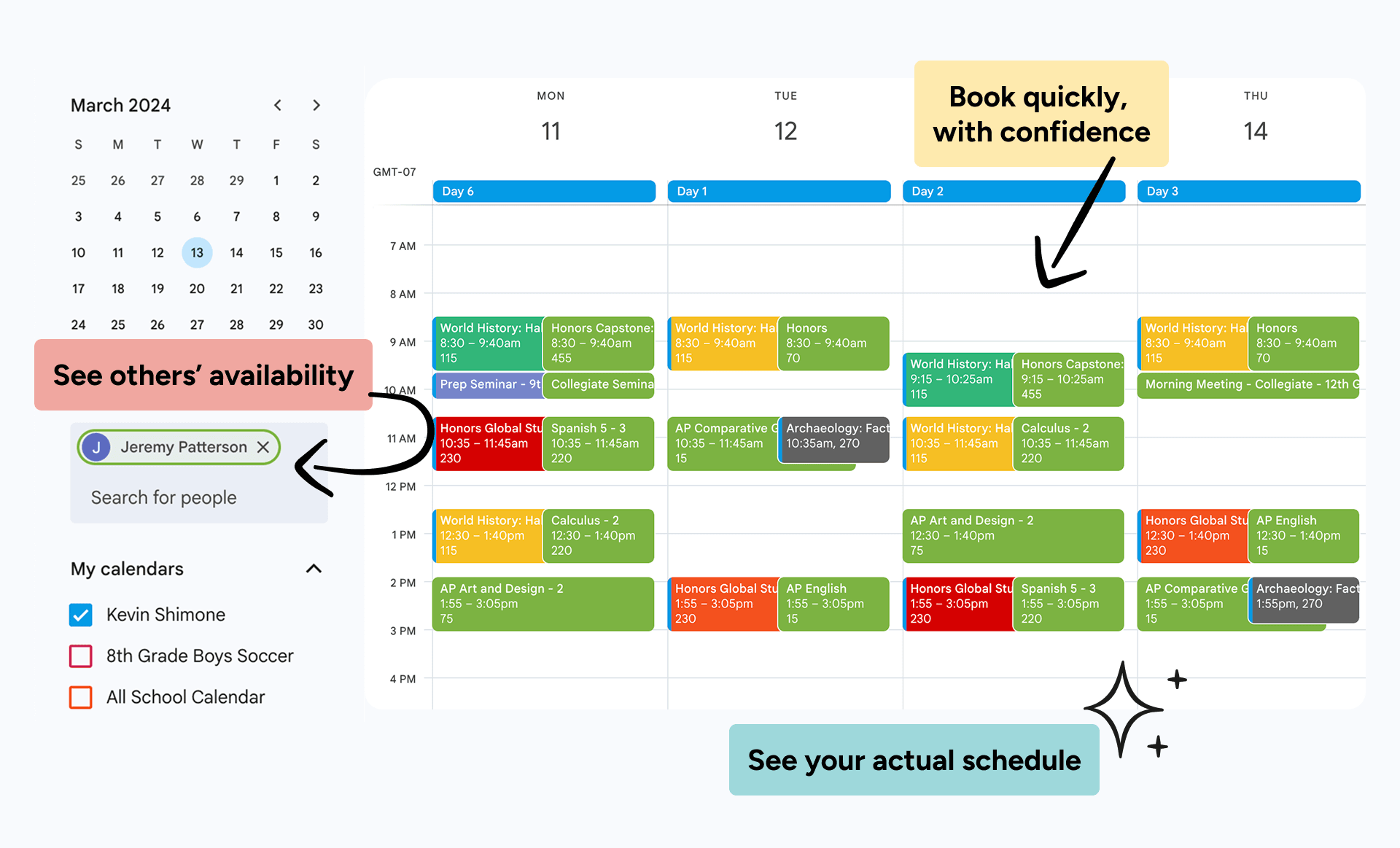
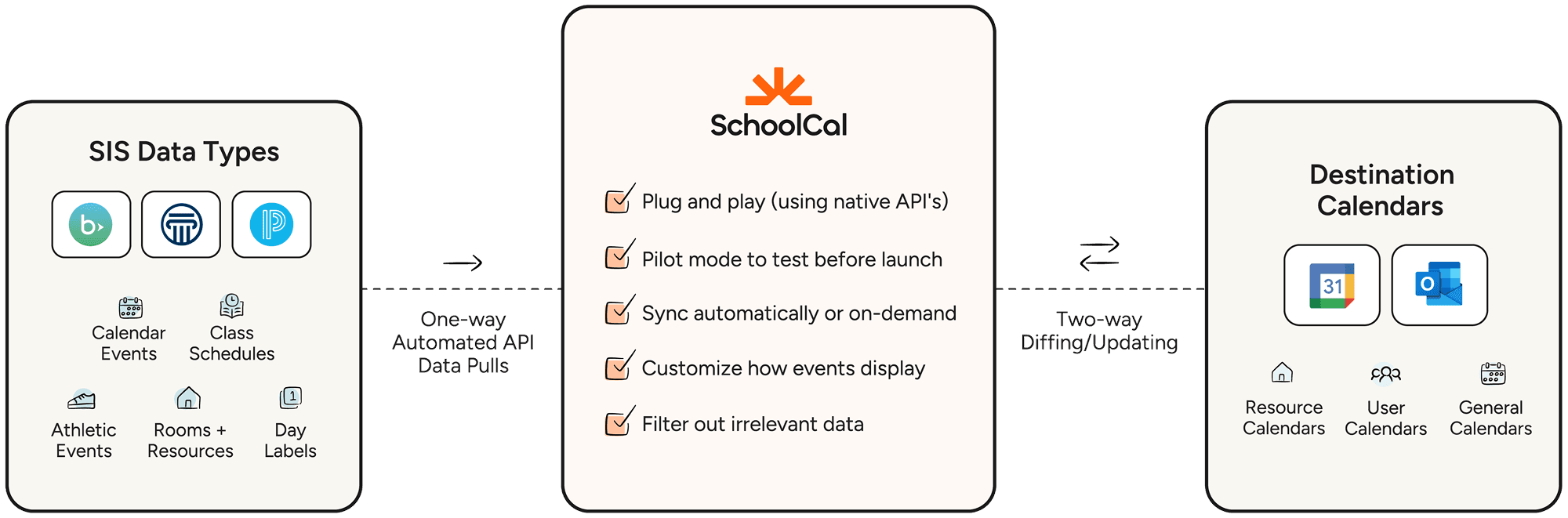
SchoolCal fixes this by automatically syncing data to school and user calendars via APIs. So everyone can reliably view schedules, see availability, book meetings, and reserve spaces.
Hundreds of schools use SchoolCal for more complete, reliable calendars.






















































































































































































































































Your users can't use their calendars...
Because they can't see when others are available, what rotation day it is, or what rooms are available. That information is stuck behind the SIS or FMX.
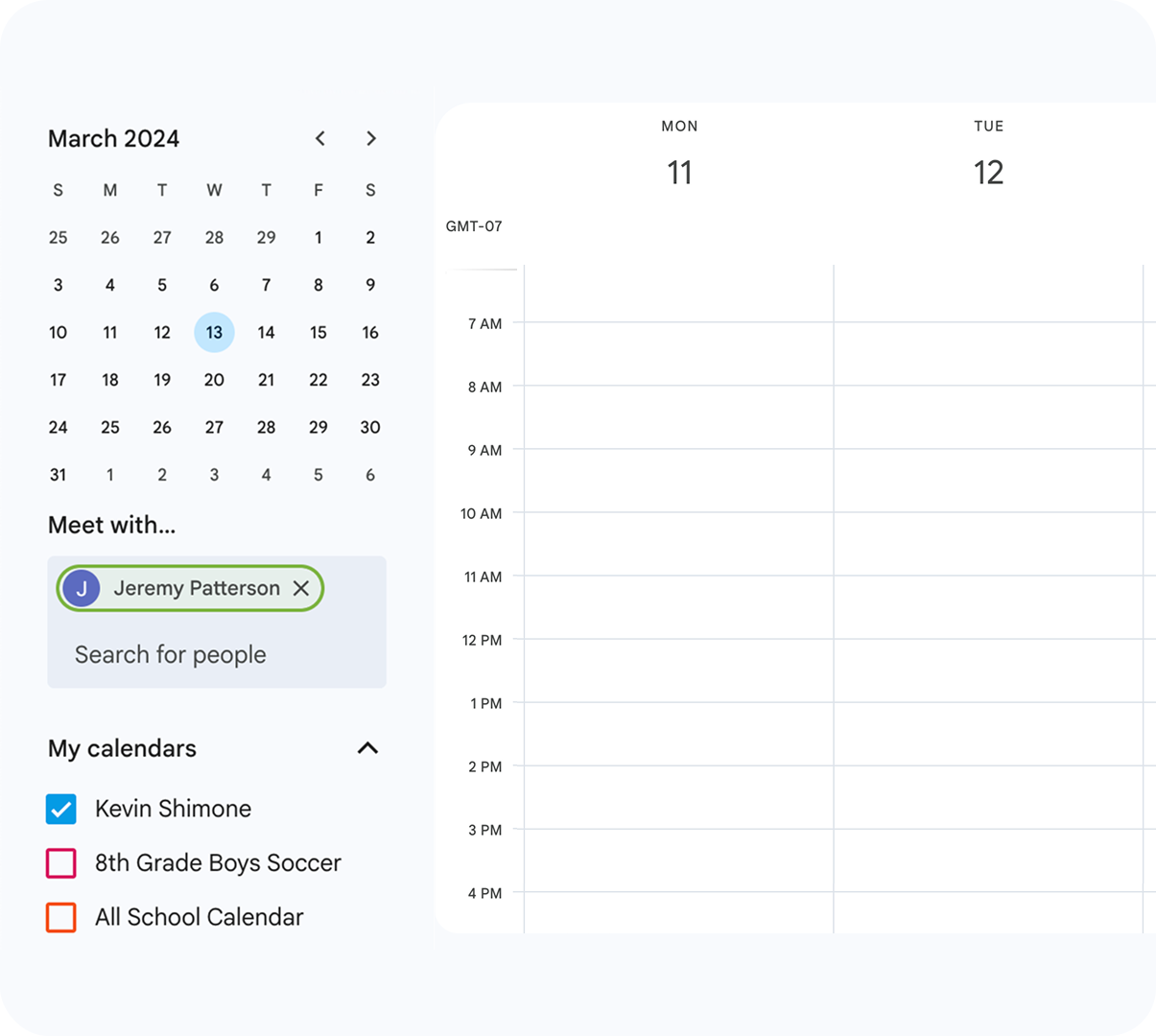
When calendars can't be used, everyone's day gets harder.
The schedules and events users need to see are in your SIS or FMX, not their calendars. The result:
SchoolCal lets you sync the schedules users need to see.
Automatically sync the schedules or events users need to see right to their primary calendars.
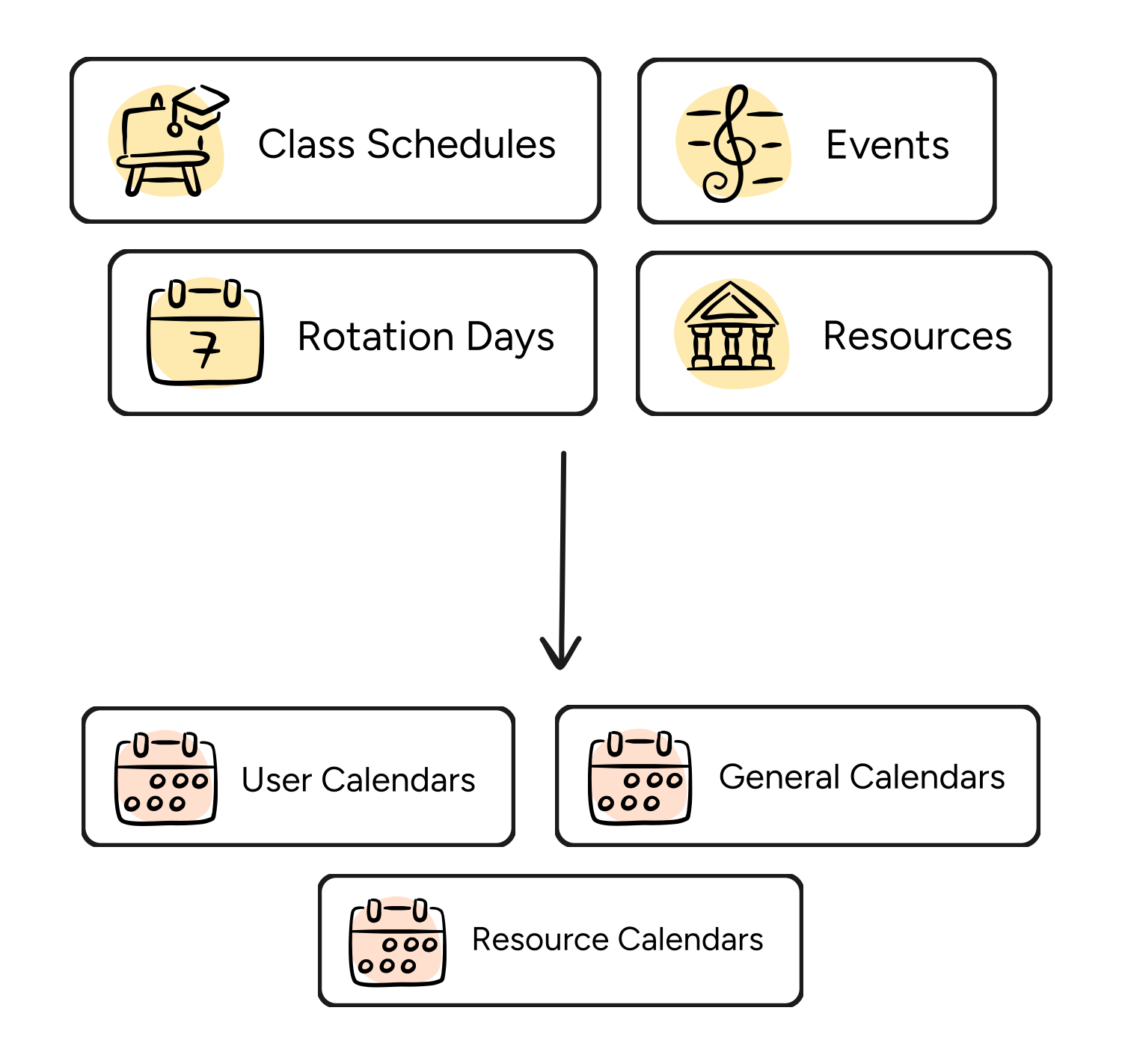
So calendars become usable, and friction is removed.
Users can see the availability, schedules, and events they need. The result...
SchoolCal vs iCal
Most calendar sync solutions use iCal feeds, so events are added to "overlay" or "secondary" calendars. This means individual users can see they're busy, but nobody else can. So users still can't find meeting times, rooms still get double-booked, and calendars still can't be trusted.
SchoolCal syncs directly to users' primary calendars using Google and Outlook's native APIs. Events actually impact free/busy status, availability is visible in real-time, and your scheduling tools finally work the way they should.
Maximum control, minimum maintenance
SchoolCal lets you sync the right events to the right users in hours. No new software for users to learn. Just calendars that finally work.
No new software to learn
SchoolCal displays events natively on the calendar app your school already uses, so there's no new software for users to learn.
Filter out irrelevant data
Select the type of data you want to sync (e.g. Course Type, School Levels, Students) and exclude people, classes, or courses.
Customize event details
Customize the title and description, include the block, set event visibility to public/private, and whether invitees can see other guests.
Test syncs first
Run a test sync to see how the events will look when synced to their calendar before pushing it to users.
Sync on-demand
Initiate a fresh sync in 1-click to quickly update staff and student calendars when events change.
View sync history
View a history of all data that got synced in one place to ensure everything is displaying correctly.
"... From super fast and smooth onboarding to flawless daily sync it's been set it and forget it. It just works."- Kevin Warenda, Director of Information Technology, Hotchkiss
Make your calendars usable
See how SchoolCal can help you make school calendars reliable and complete.